OT vendor access gives an outside service team permission to reach specified machines, applications or devices for an agreed task. A useful process records the customer-side owner, approved resource and end of access before the connection opens.
For example, a packaging-machine supplier investigating an HMI alarm needs access to that HMI. The same request does not justify access to every controller on the production network. When the investigation ends, the customer should remove the permission or record the continuing support need.
CISA’s guidance for configuring and managing remote access in industrial control systems treats remote access as a managed lifecycle rather than a one-time connectivity change. The organization still needs a process for business justification, target scope, supervision where required, review, and removal.
Why vendor access drifts out of control
Vendor access usually starts with a valid business need:
- a machine builder supports a new installation
- a controls supplier needs to troubleshoot a fault
- an integrator helps with tuning or updates
- a specialist provides remote diagnostics
The problem is that temporary access often becomes permanent by accident.
Common reasons include:
- no named owner on the customer side
- the same credentials reused across tasks
- broad access granted to save time
- no formal end date
- manual cleanup that depends on memory
Once this pattern repeats across multiple vendors and sites, the business loses visibility. Audits become slow, approvals become informal, and security teams stop trusting the real access picture.
A cleaner OT vendor access model
The most practical model has five stages:
- request
- approve
- connect
- monitor or supervise
- revoke or review
The key is that each stage should answer one simple question.
Request: why is access needed?
Every vendor request should state:
- the business reason
- the site
- the machine, line, or system involved
- the requested timing
- the expected duration
- the internal owner
This does not need to be complicated. Even a short structured request is enough if it captures the real scope.
Approve: who is accountable?
Approval should come from the person closest to the operational risk. That may be:
- a maintenance lead
- an automation manager
- a plant manager
- a project owner
The right approver is not always the most senior person. It is the person who understands whether the access is operationally justified.
Connect: what exactly can they reach?
This is where many teams go wrong. Access should not mean “the vendor can enter the site network.”
It should mean:
- the vendor can reach this target
- for this task
- during this window
- with this level of permission
Narrow scope is what makes vendor access manageable.
Monitor or supervise: is the session expected?
In higher-risk environments, it helps to require awareness on the plant side when a remote session starts. Some teams also require a local contact to be available during the session.
This step matters because the safest access model is not only technically restricted. It is also operationally visible.
Expire, revoke, or renew: what happens at the review point?
At the review point, make an explicit decision:
- let access end automatically after the task window if an expiry was configured
- revoke it when the task is complete or no longer justified
- renew or retain it only when the business need remains current and owned
If your process has no natural revocation point, it will collect stale access over time.
The best default: temporary vendor access
For a defined service job, create access after approval and remove it when the job ends. Configure an expiry when the support window has a known end. This prevents a temporary repair permission from becoming permanent by accident.
Benefits include:
- smaller attack surface
- fewer stale permissions
- easier reviews
- cleaner separation between support events
- better confidence during audits
Permanent access should be rare and tied to a strong business reason.
Policy rules that make audits easier
A workable vendor access policy usually includes these rules:
Rule 1: Use named identities when individual accountability is required
Use individual user accounts when the site needs to attribute an action to a person. A group can define permissions for its members, but the group name alone does not identify who connected. A shared account or bearer link also cannot establish individual identity on its own.
Rule 2: Scope to asset or service
Define access around the actual machine, application, or service being supported.
Rule 3: Tie access to an internal owner
If no one on the customer side owns the access, it should not stay active.
Rule 4: Review regularly
A short monthly or quarterly review catches most issues before they become major cleanup projects.
Rule 5: Remove after project milestones
Commissioning, warranty transitions, site acceptance, and maintenance completion are all natural times to revoke access.
Monthly review checklist for vendor access
Use this during a recurring access review:
- Which vendors still have active access?
- Does each access entry have a current owner?
- Is the scope still correct?
- Has the vendor used the access recently?
- Is any temporary access still active past its purpose?
- Did any site create one-off exceptions that should be cleaned up?
This review does not need to be long. The main goal is to remove access that no longer has a live operational reason.
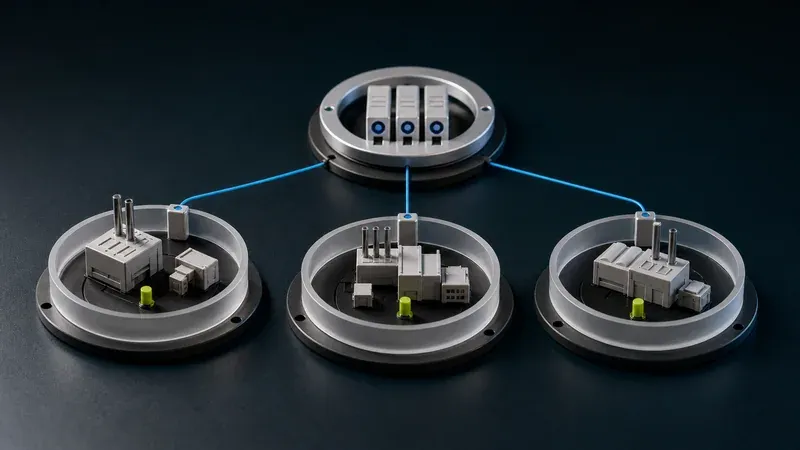
Multi-site OT teams need one standard
The challenge gets harder when the company operates multiple plants. One site may approve vendor access through maintenance, another through IT, and another through informal emails.
That inconsistency creates three problems:
- vendors get different access levels across sites
- central teams cannot compare risk cleanly
- audits become a site-by-site detective exercise
A common request and approval model across sites is usually more valuable than adding more technical controls alone.
Where Orenda can help
The hard part of vendor access is not just getting a connection live. It is keeping the organization’s requests and approvals aligned with technical scope and revocation when vendors, plants, and maintenance events operate on different timelines.
Orenda provides target-scoped vendor links that authorized organization users can create and revoke, with an optional expiry. It does not replace the organization’s approval process, and a shared link does not by itself prove which individual used it. Those boundaries matter when a team designs its operating procedure or evidence requirements.
If you are trying to tighten third-party access without slowing support, see the Vendor access solution. If you are aligning multiple plants at the same time, the Multi-site access solution is the next page to review.
If you want to tighten this process
If audits are painful because vendor access is approved informally or cleaned up too late, this is usually a sign the workflow needs to be standardized. Start with the Vendor access solution, then review Pricing for a pilot or phased production rollout.
Close the service request with an access decision
Add three fields to the service completion record: the resource that was available, whether its permission was removed, and the owner and reason for any access that remains. At the next review, these fields distinguish ongoing support from forgotten access.