Local network
Orenda Box Edge
For installations using the site’s internet connection.
- Full Orenda Box platform
- MES Lite for basic production tracking
- Local database and machine history
- PLC data collection, local apps, and SDK
Run MES Lite beside the line on Orenda Box Edge or Edge LTE. Both include basic production tracking and local machine history. Use the site network with Edge or choose Edge LTE when the installation needs a mobile connection.
OrendaBox combines an industrial edge computer with secure access and local applications. Collect selected PLC and machine data, process and store it on site, and host approved applications. Authorized users reach those tools through Orenda Connect. Connect also works on existing hosts when you do not need Box hardware.
Machine service tools: Use one repeatable setup for customer machines, local apps, access, and updates.
PLC stays in control: Orenda Box reads and organizes data; it does not take over machine logic.
Works close to production: Data and apps run locally at the site.
Approved app access: Only approved users can open the apps assigned to them.
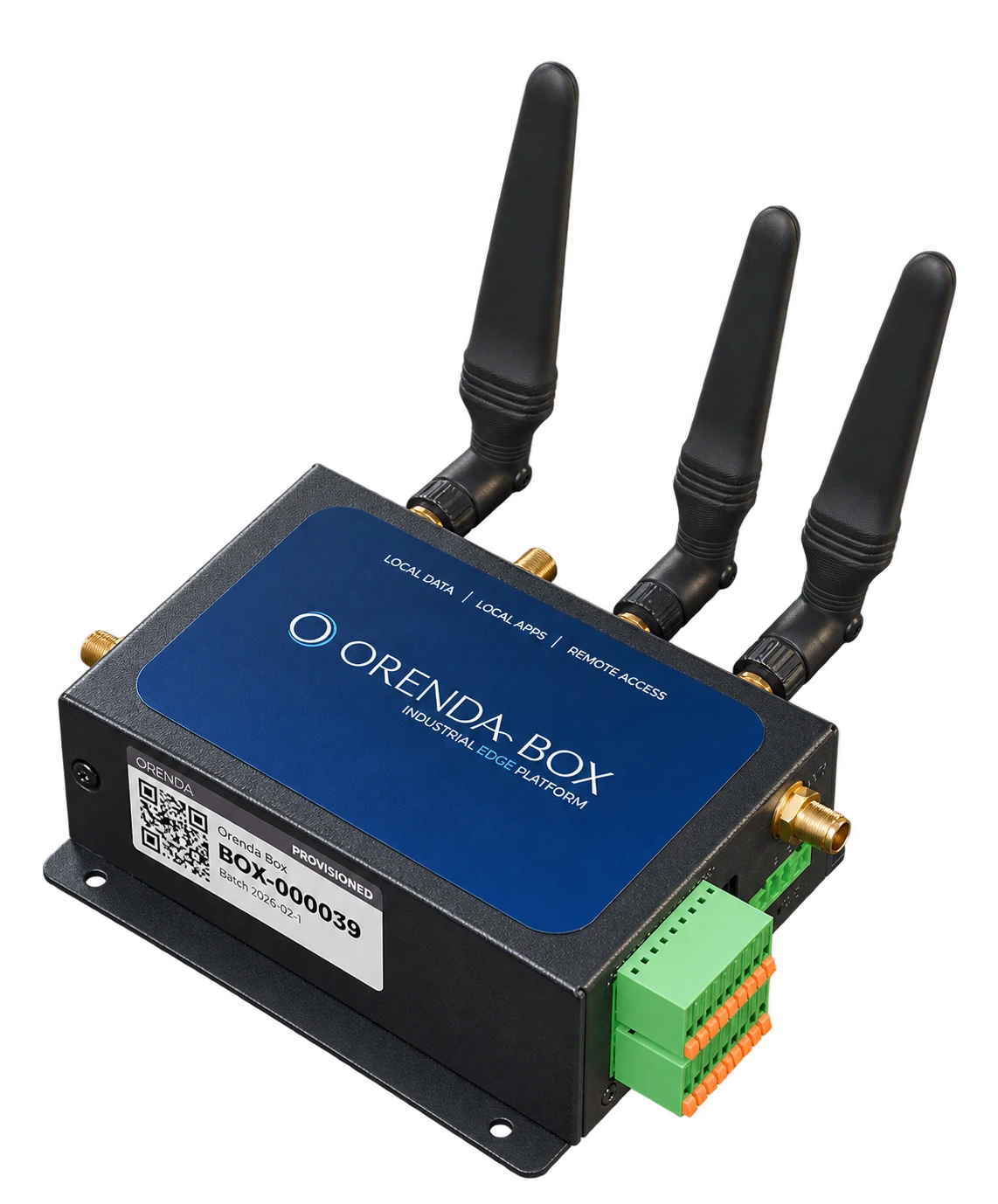
Read configured counts, states and measurements from the PLC.
Store data and run MES, SCADA and other approved apps on site.
Open apps locally through Edge Console or remotely with Connect.
The PLC keeps machine control. Box applications use the data connections and permissions defined during setup.
Orenda Box
Orenda Box adds machine data and local applications to your remote connection. Choose the connection option, then scope the applications and installation.
Local network
For installations using the site’s internet connection.
Cellular connection
The same full platform, with a cellular connection for sites that need it.
Coming soon
A new option in the Orenda Box family.
Box hardware and deployment are quoted for your project. The Connect subscription prices cover the remote access subscription.
Product demo · 1:41
In this product demonstration, a tortilla line stops in Hamburg. A machine builder checks production data remotely, investigates what changed, and gives an engineer access to the needed applications.
Orenda Box brings the main tools for setup, production visibility, decision support, and service into one edge platform.
See services, network status, installed apps, updates, and diagnostics.
Let approved users or service partners reach only the apps they need.
Define PLC devices and the values that local apps, screens, reports, or alarms should use.
Run production workflows such as operator panels, reports, planning, quality, maintenance, and inventory when the project needs them.
Investigate machine changes using authorized measurements, production records, maintenance history, and manuals. Save findings and reports for the next service decision.
Build process screens with live values, equipment states and trends.
Install or update approved apps without rebuilding the whole system.
Predictive Maintenance
Choose a machine and a question. The AI workspace gathers the permitted records and document passages, compares the relevant periods, and produces findings with their sources. Reopen an investigation later, schedule a follow-up, or export an HTML or PDF report.
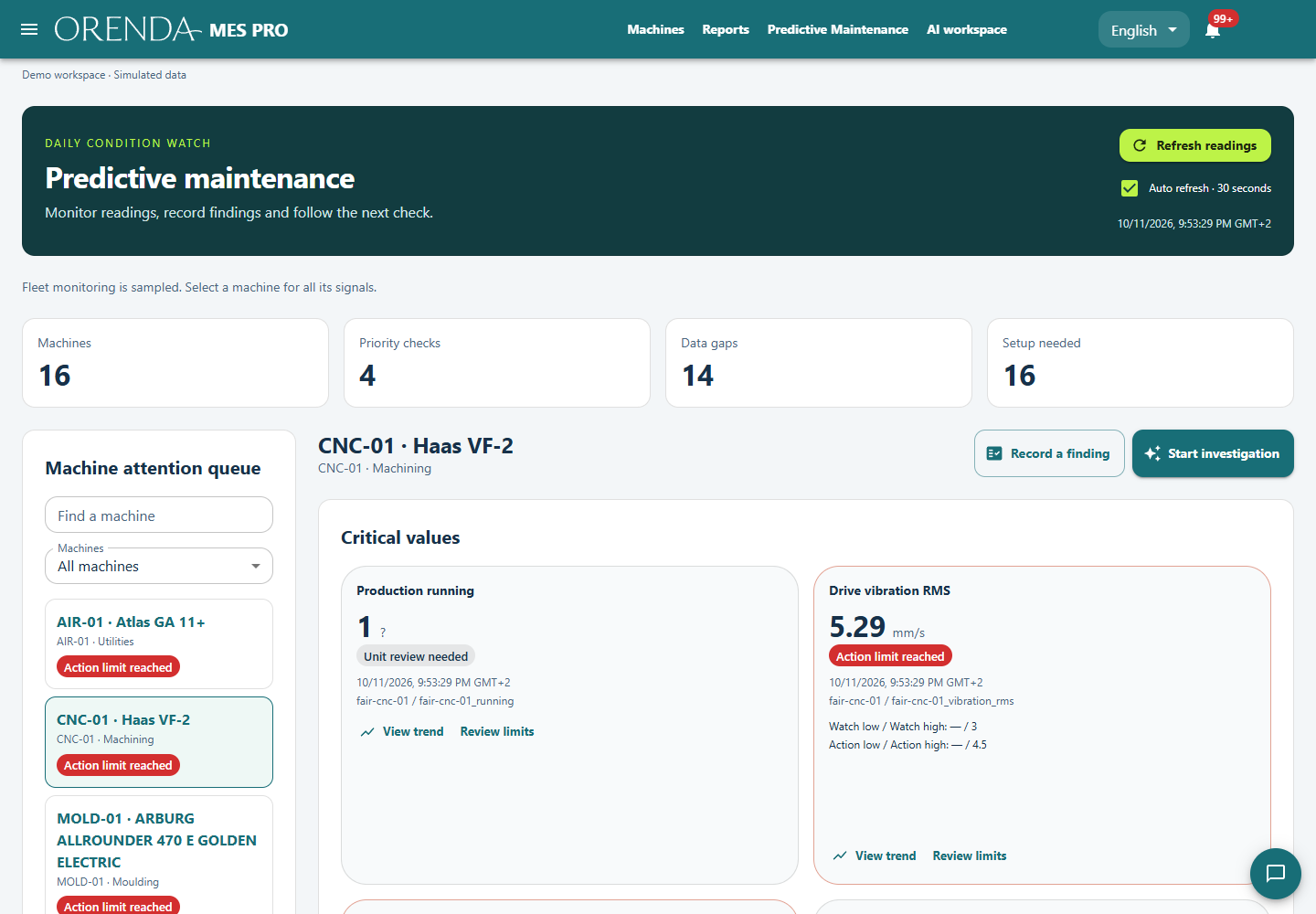
Keep manuals with the right machine, search their contents, and review the passages used in an investigation.
Connect the change in a measurement to production runs, downtime, and recorded maintenance work.
Review the finding, open the supporting evidence, and follow the proposed check through your maintenance workflow.
Original documents and machine records stay on the Box. Hosted analysis uses selected measurements and excerpts through the configured inference service. Access follows the machine and data permissions approved for the installation.
Screens from the Orenda Box guide. The Predictive Maintenance demonstration above uses simulated machine data.
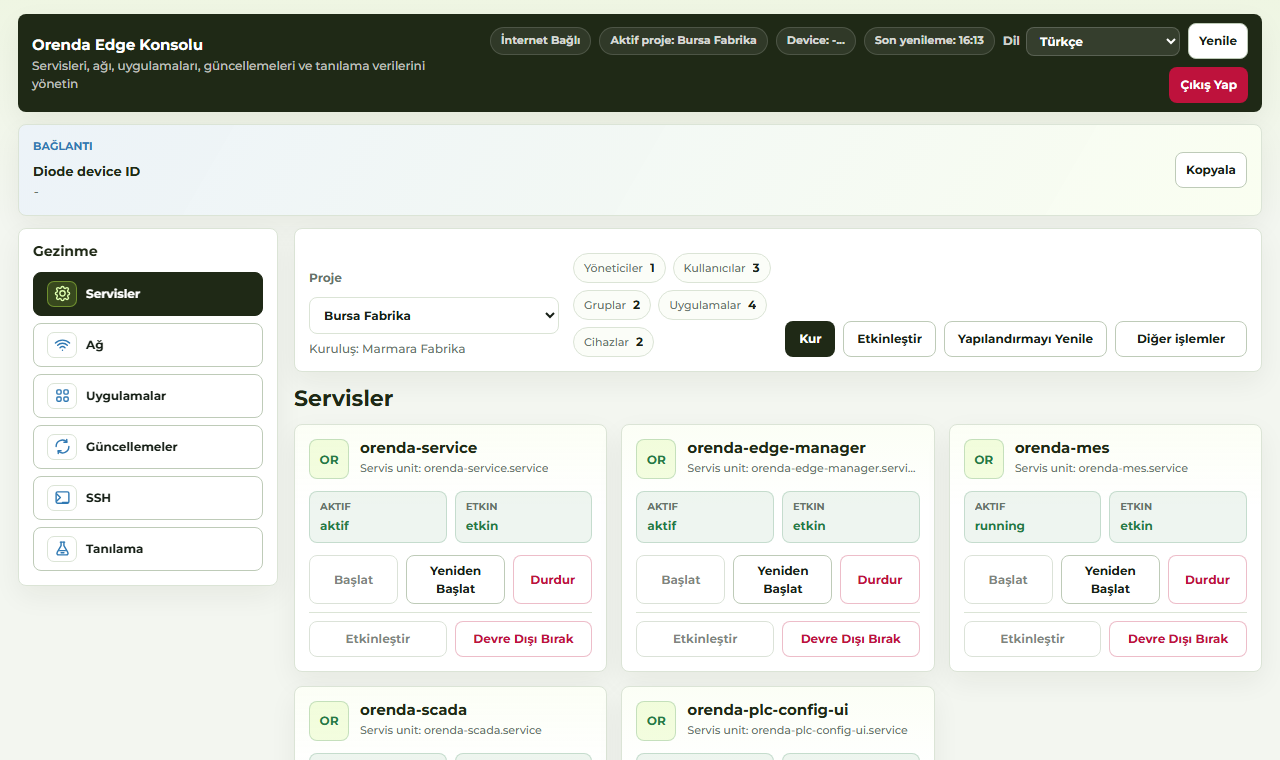
Check local services, installed apps, updates, and device health.
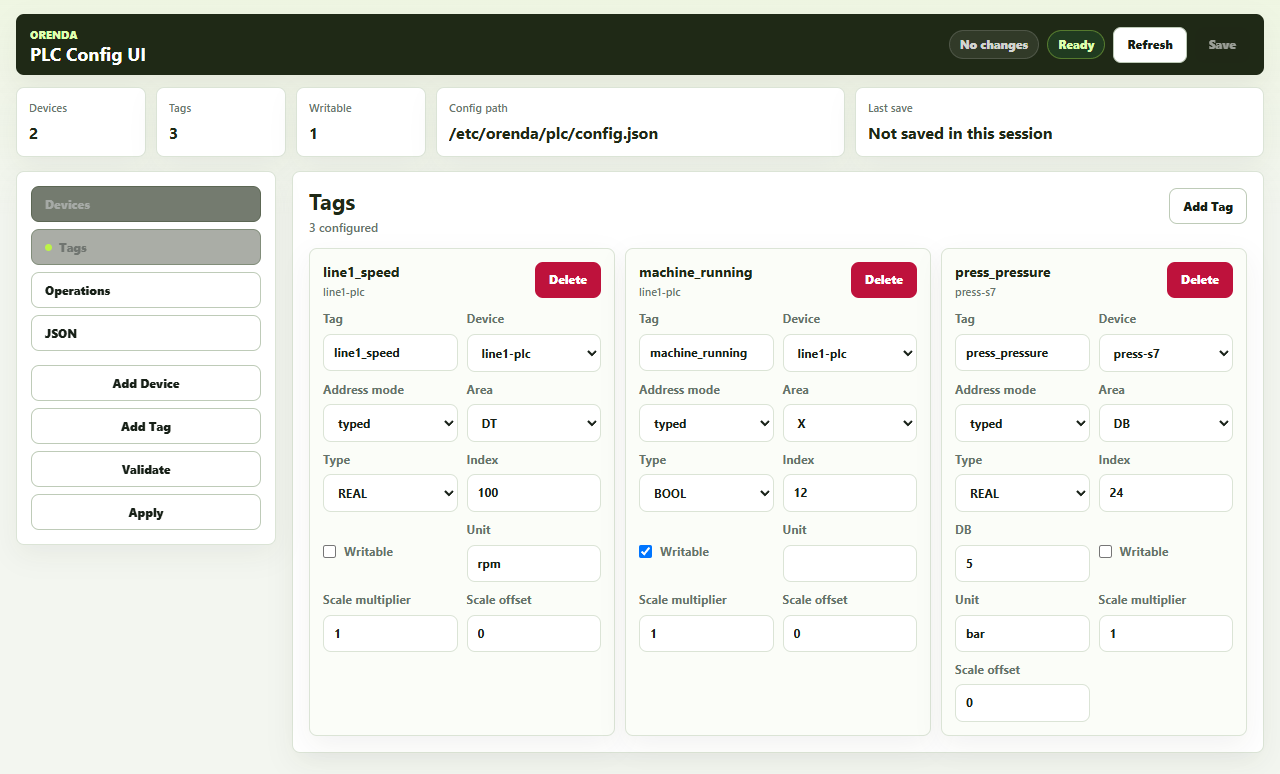
Define the machine values that MES, SCADA, reports, alarms, and support workflows will use.
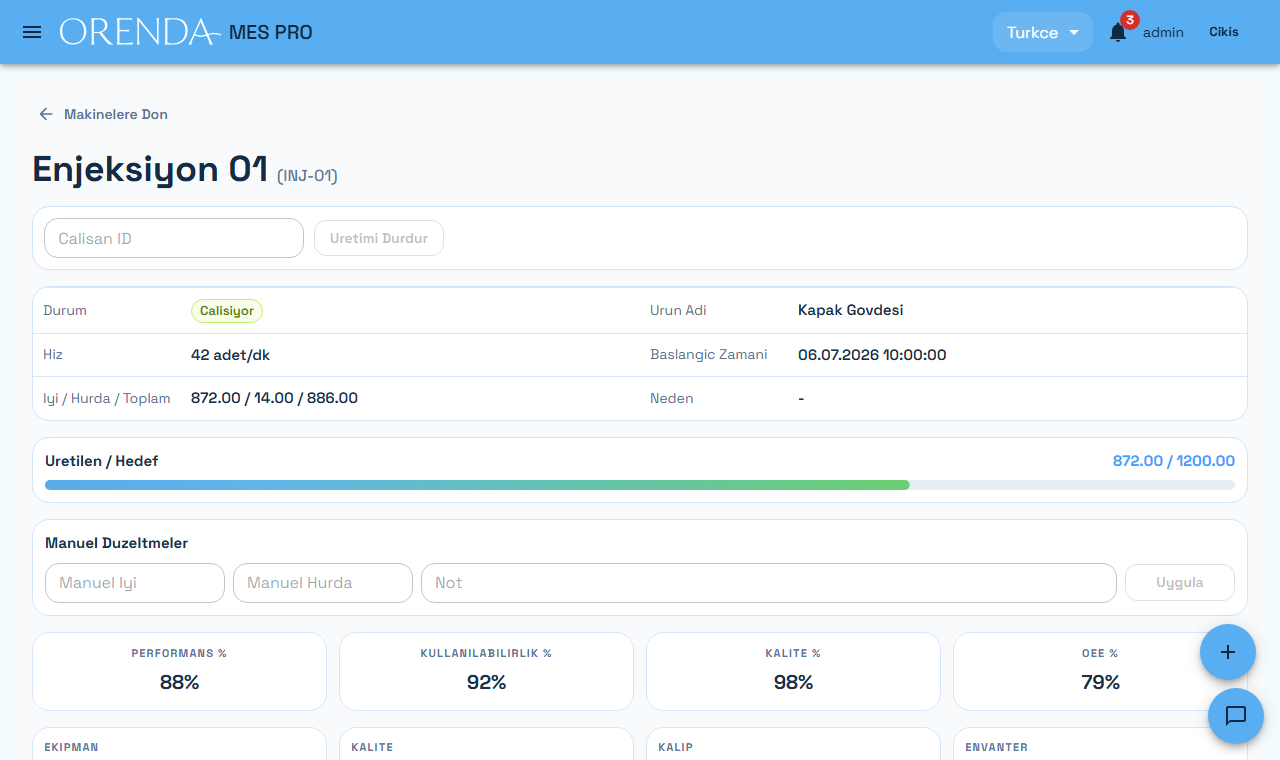
Run daily workflows such as work order selection, production start, downtime, and scrap entry when those modules are part of the project.
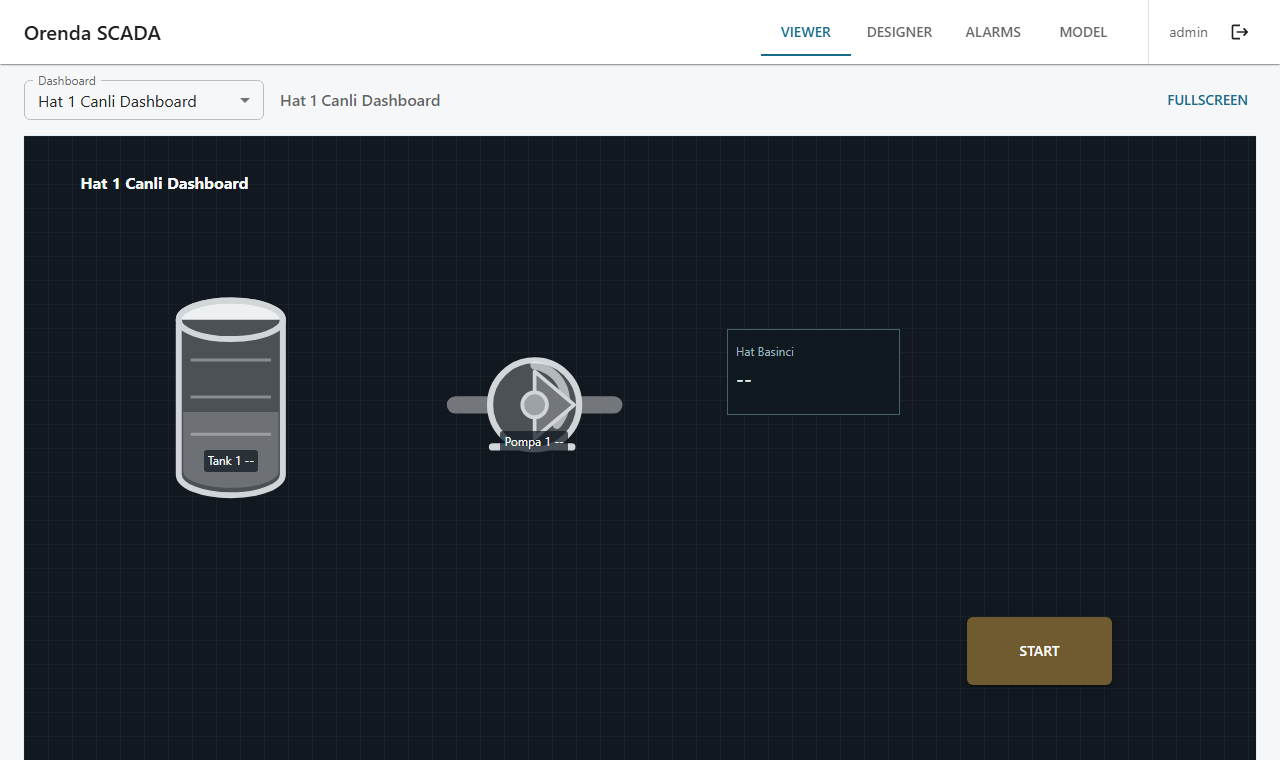
Display live machine values, screens, and alarms from local data.
Begin with one machine, one line, or one monitoring need, then expand when the value is clear.
Machine builders can see status, alarms, counters, and recent events before deciding whether a technician must visit.
Monitoring, SCADA, production screens, PLC configuration, and diagnostics run near the equipment and can be used by local teams.
Use AI to investigate changing measurements, compare production periods, and read technical documents in context. Save the findings and plan the next maintenance check.
Use target-scoped, revocable links with optional expiry for selected apps instead of broad remote access.
Use the same setup, access, app, and update process across customer sites or factory locations.
Support teams can inspect service health, network state, data collection, app state, and update readiness from Edge Manager.
The exact setup depends on the machine and project. Common examples include:
Agree the test before installation. Record the PLC model, firmware, network path and required values. Confirm the exact Box model, interfaces and site conditions in the project scope.
Check installation requirements →
Check PLC and interface compatibility →
Send the machine and PLC models, site network details and first task. We will prepare a project proposal with hardware, applications, installation and support scope. Box prices are shared in your proposal.
Talk to us about Orenda BoxOrenda Box is an industrial edge computer that collects configured PLC data and runs local applications such as MES and SCADA. Your team can use those applications on site or reach them through Connect. Installation planning covers the machine connection, power, network and operating environment.
No. Orenda Box reads and organizes configured data and runs approved applications; the PLC and engineered safety system remain the machine-control authorities. Any process-affecting command needs its own machine-specific design, authorization, and validation.
Yes. Connect the required data from that machine, prepare the production or operator screen, and assign user access. Check the readings and daily tasks with the operators before adding further machines.
Choose Orenda Box when the project needs a machine-side industrial computer for PLC data, local MES or SCADA, diagnostics, or edge applications. Choose Orenda Connect when the required apps, devices, or servers already exist and the main need is resource-specific remote access. They can also be used together.
Secure access and applications
Start with secure access. Add local computing and applications as you grow.
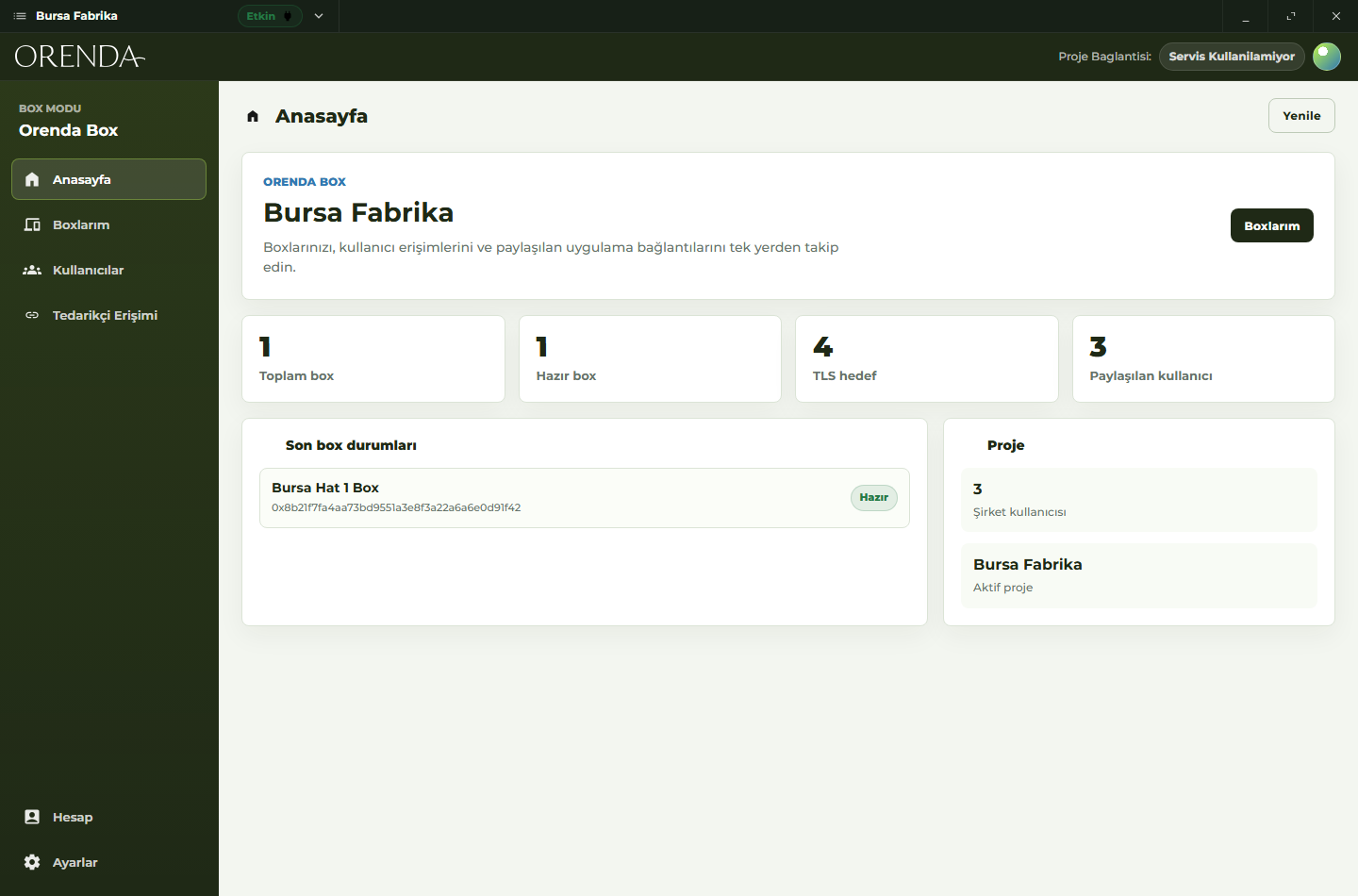
Software · No dedicated hardware required
Reach your machines, servers and internal apps through identity-based, encrypted connections.
Optional edge hardware
Process data and run applications on site, with secure access for your team.
MES, SCADA, Predictive Maintenance and reviewed third-party apps. You approve their permissions.
Orenda MES →Orenda SCADA →Orenda Predictive Maintenance →Orenda AI Reports →