Pages and equipment
Use reusable equipment modules and navigation to show a machine, line, or process. Keep each page focused on one task.
Build process pages, bind approved machine data, and publish an operator view. Open it in a browser or on the Box’s connected display.
Supervisory control and data acquisition (SCADA) brings process values into a shared view. A human-machine interface (HMI) gives the operator a screen for the task. Orenda SCADA Studio provides page and equipment design, data bindings, trends, and published project versions on the Box.
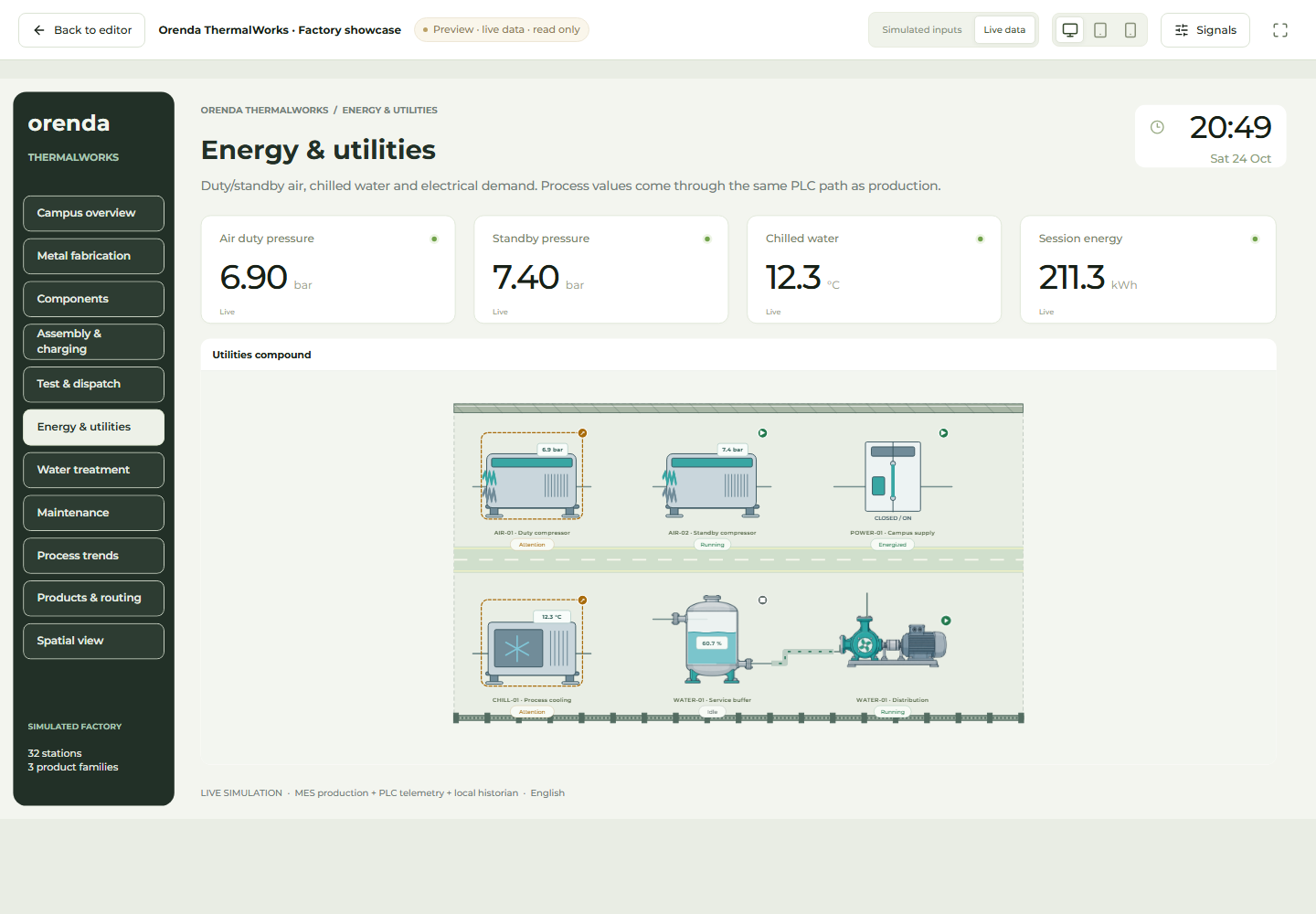
Demo project · English interface · Simulated process data
Use reusable equipment modules and navigation to show a machine, line, or process. Keep each page focused on one task.
Bind approved PLC values and retained time-series data. Check units and missing-data behavior before publishing.
Use the integrated AI assistant to prepare page or module changes. Review the draft and apply the changes before publication.
Work in a draft, validate the bindings, and publish a project version. The selected version supplies the operator view. Portable design packages support reuse; data sources and permissions must be checked on each destination Box.
Authorized users open the installed application through Edge Console or Orenda Connect.
Show the selected published version on the Box’s HDMI display. Viewing is the default. On a compatible Box, the administrator can enable operator mode for the selected HMI after approving display access and PLC writes.
Keep drafts and published versions separate. Review a change before replacing the operator’s current view.
An authorized operator can use configured browser controls with approved writable data points, value bounds, confirmation and a fresh valid reading. The controller and intended command are checked during setup.
Studio evaluates its observed alarm conditions while a viewer is running. Continuous alarm evaluation runs in the PLC or configured host alarm service. Machine protection remains in the machine's engineered control and safety system.
SCADA Studio is an optional catalog application. Check the supported Box platform version, permissions, data sources, and display requirements before installation.
Show us the process, the available signals, and where the team will use the view. We can plan a focused demonstration.
Discuss a SCADA screen