A remote access pilot tests whether an approved user can complete a real support task, within the required permissions, at a cost the site can sustain. Define the machine or application, participating users, installation work, support owner and acceptance criteria before it starts.
Measure the time from service approval to a usable connection. Test removal of access and recovery after a connection failure. Record the differences that the next site will need to address.
The NIST Cybersecurity Framework 2.0 frames cybersecurity decisions around governance and risk outcomes, not product installation alone. Use the pilot to produce evidence about operational fit, ownership, recovery, and access control; do not treat a successful connection test as proof that the production design is ready.
What a good pilot should prove
A strong pilot usually proves four things:
- the right users can connect without unnecessary friction
- access is controlled and easy to govern
- the local operational team can support the model
- the design can expand beyond the first site or first use case
If a pilot only proves connectivity, it is too narrow.
Start with one high-value use case
The best pilot scope is neither too small nor too broad.
Good starting points include:
- vendor support for a critical machine group
- remote troubleshooting for one line
- secure access for a distributed maintenance team
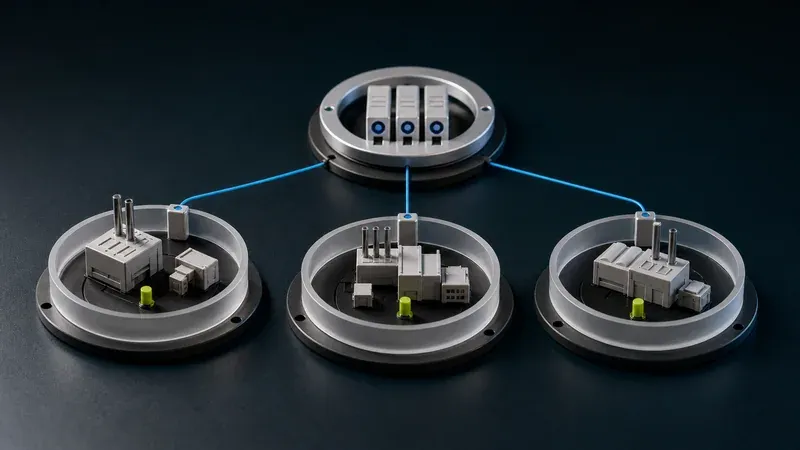
- one site that can act as the template for future rollout
Avoid pilots that try to cover every user type, every site, and every exception. That usually slows learning and hides the real business case.
Pricing inputs to define early
Pilot pricing becomes much clearer when the team defines a few basic inputs up front.
Number of sites
Even if the pilot only starts with one site, note how many sites are likely to follow. This helps separate pilot design from long-term rollout thinking.
Number of assets or connection targets
List the applications, services and devices that need access, then record the participating users. These counts affect different parts of the license and installation work; confirm how the selected plan counts each one.
User groups
Split users into practical groups:
- internal engineers
- maintenance staff
- vendors or OEMs
- supervisors or read-only viewers
Different groups often require different approval and access models.
Hardware requirements
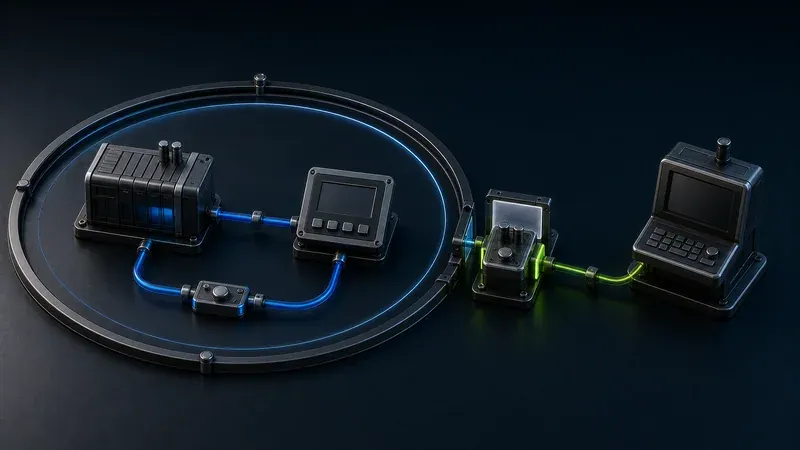
Connect can run on an existing supported system. Include an on-site computer or Orenda Box when the project needs local data collection or applications. A restricted network still needs an approved connection path; adding hardware does not remove that requirement.
Support and rollout services
Many teams forget to estimate the effort needed for:
- initial setup
- policy design
- site onboarding
- vendor onboarding
- admin training
These services are often what makes the pilot usable in real operations.
Success criteria that leadership actually cares about
Do not stop at technical checks like “a user connected successfully.”
Better pilot success criteria include:
Access speed
How long does it take to approve and establish access for a real support event?
Operational usability
Can maintenance, engineering, and site leadership follow the process without constant manual support?
Governance quality
Can the team clearly answer:
- who has access
- what they can reach
- who approved it
- when it should end
Downtime or response improvement
Does the model reduce time to troubleshoot, time to vendor engagement, or time to issue resolution?
Scale readiness
Could the same pattern be repeated at the next site with limited redesign?
These measures are what turn a pilot into a rollout decision.
Build the rollout path during the pilot
One of the most common mistakes is treating the pilot as isolated from production rollout. It is better to define the expansion path while the pilot is running.
Plan for:
- what changes between pilot and production
- which templates can be reused
- how new sites will be onboarded
- how vendors will be added or removed
- what the support model looks like after go-live
This prevents the familiar problem where a successful pilot still has to be redesigned before anyone can scale it.
A simple pilot structure
Here is a practical structure many teams can use.
Step 1: select the first site
Choose a site with a real need, a cooperative local team, and enough importance that the results will matter.
Step 2: define one or two access scenarios
Examples:
- vendor maintenance access to a packaging line
- remote engineering access to one control environment
Step 3: document the baseline
Capture today’s process:
- how access is requested
- how long it takes
- where delays happen
- what risks or frustrations exist
Step 4: run the pilot in live operations
Test the model during real support work, not just a lab demonstration.
Step 5: review pilot outcomes
Compare the pilot against the baseline, then decide what should be standardized for rollout.
Common pilot mistakes
No clear business owner
If no one owns the pilot outcome, it becomes a technical test with no rollout momentum.
Vague scope
If the team cannot say exactly which users, assets, and workflows are in scope, pricing and results both become fuzzy.
Ignoring revocation and review
Governance should be tested during the pilot, not added later.
No rollout assumptions
A pilot without a production path often ends as a one-off deployment.
Where Orenda can help
A pilot becomes much easier to justify when the commercial model and the rollout model are already tied to a realistic deployment path. That usually means deciding early whether the site can use a software-led rollout, whether it needs an on-site edge component, and how access will be governed once the pilot ends.
Orenda helps teams structure pilots around real operational use cases instead of one-off demos. That includes secure remote access, vendor workflows, and deployments that may require an on-prem component such as Orenda Box.
If you are comparing pilot options now, review Pricing together with the Secure remote access solution so the technical design and commercial plan stay aligned.
If you are scoping a pilot now
If you are planning a pilot and want a rollout path that can move cleanly into production, start with Pricing. If the site needs local infrastructure, compare that plan with Orenda Box before locking scope.
Record the decision at the end
Compare the measured setup effort, support response and access tests with the agreed criteria. Decide whether to deploy, correct specific gaps and retest, or change the approach. Assign each unresolved item an owner and a completion condition before opening the next site.